RUKZEN
See the system →
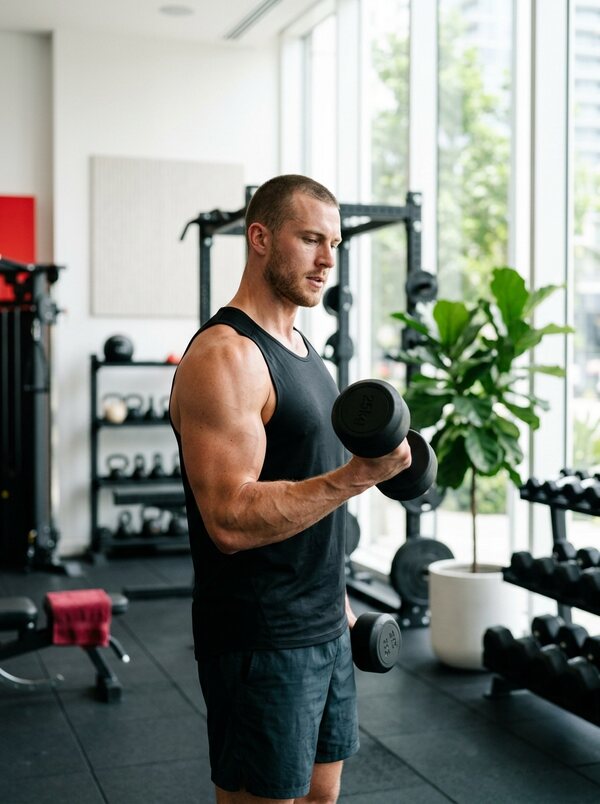
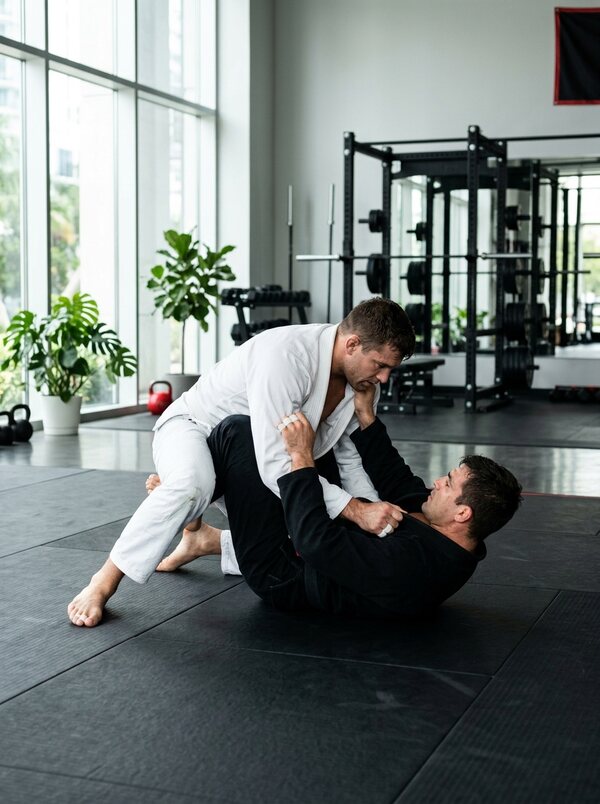
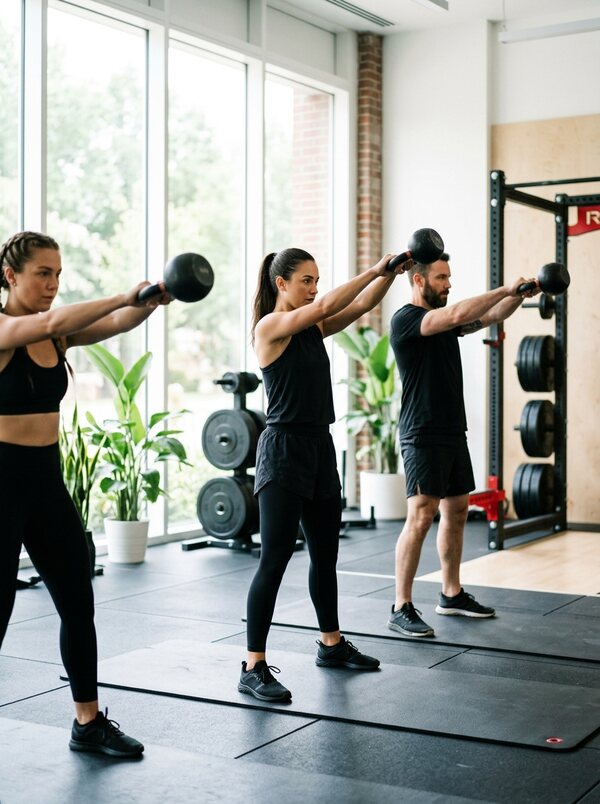
Training at a sports club: functional area, boxing and jiu-jitsu

CRM for sports clubs

Run your club every day

Gym, martial arts, fitness studio — in one system. Members, memberships, schedule, trainers, locker keys, sales and analytics.

What it does
  • Launch in 3 days
  • Data migration from FitBase
  • Works offline
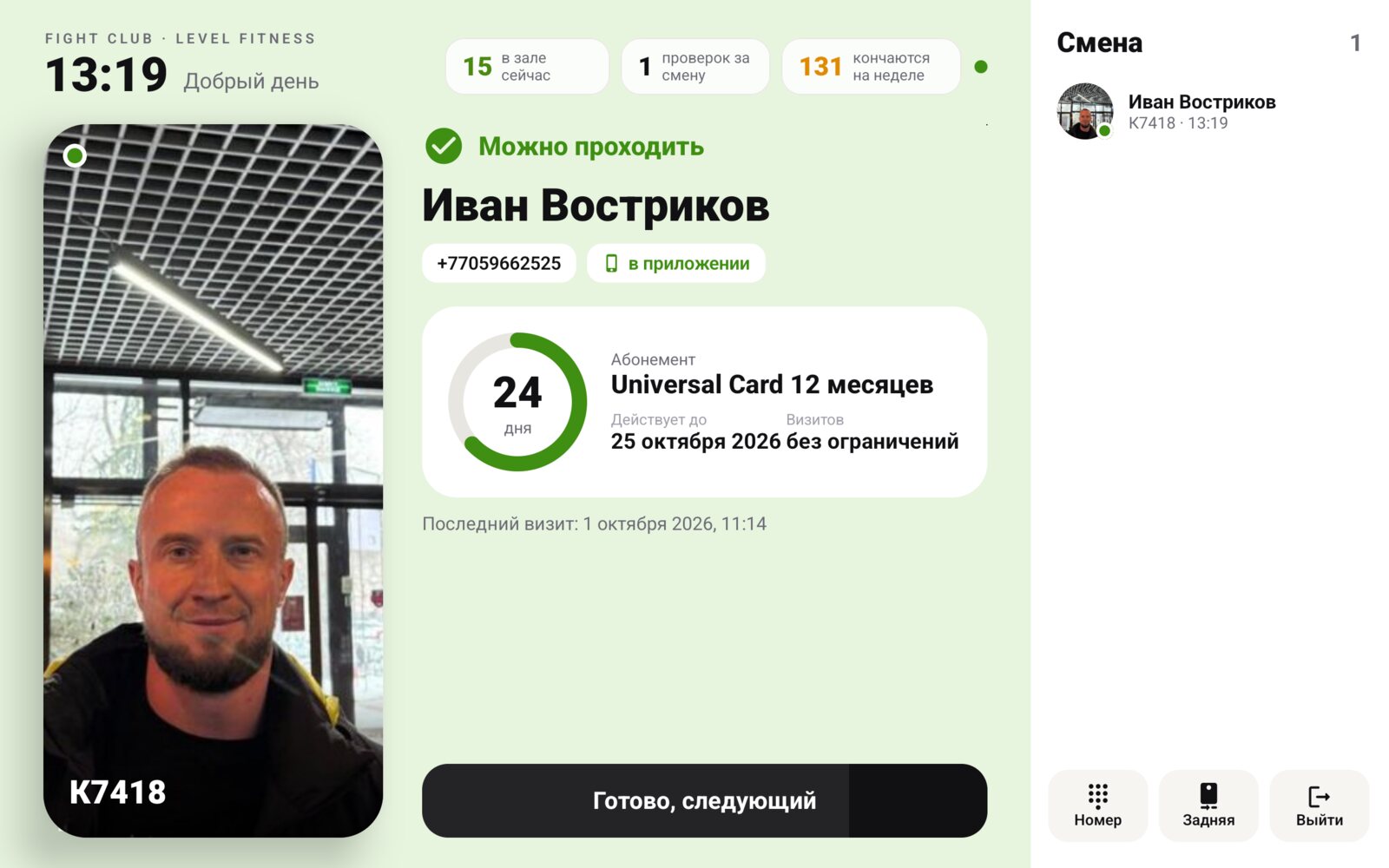
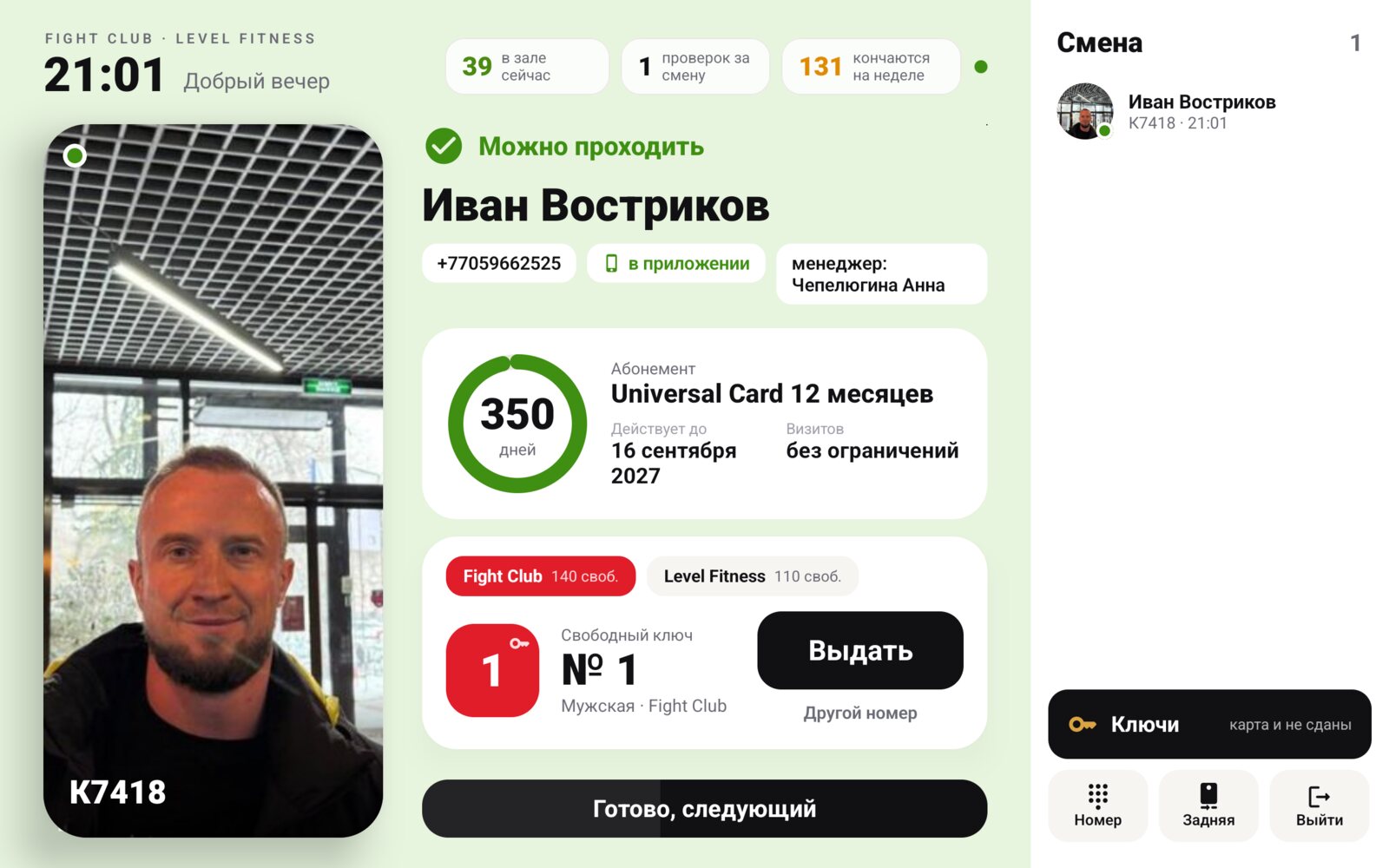
Front-desk tablet: membership scan and member card
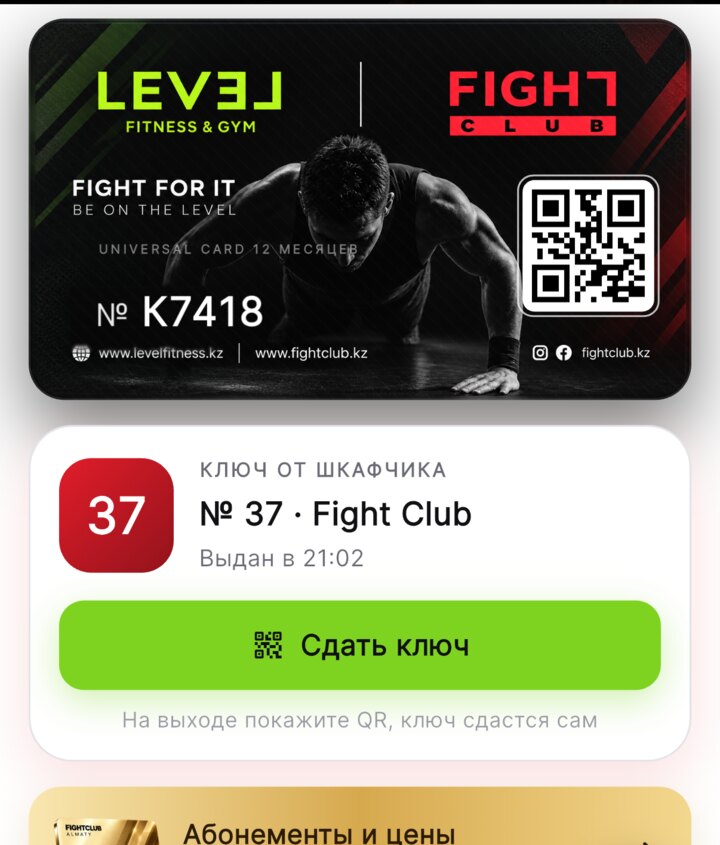
Member app: digital membership and locker key
Member base and memberships
Schedule and booking
Member app
Front-desk tablet
Keys and lockers
Sales, reports, forecast

Our clients

Already working every day

Two clubs under one roof and a stretching studio in Almaty, each with its own app, member base and front desk.

874active memberships
898members visited in 30 days
6000+visits per month
402lockers managed
Fight Club Almaty Martial arts club · Almaty
13trainers
10disciplines
231lockers

Boxing, kickboxing, jiu-jitsu, MMA, kids' groups.

  • Member app with digital membership and QR entry
  • Front-desk tablet: scan, sales, shift cash report
  • Keys: men's and women's locker rooms, return by scan
  • Trainer workspace and notifications
What's in use +
Level Fitness & Gym Fitness club · Almaty
12trainers
5disciplines
171lockers

Gym floor, group classes, stretching.

  • One Universal Card membership shared with Fight Club
  • Its own locker layout and pricing
  • Live gym occupancy in the app
  • Owner reports for the club separately
What's in use +
Stretch Lab Almaty Stretching studio · Almaty
7trainers
10disciplines
2halls

Stretching, aerial stretching, Pilates, yoga, kids aerial groups.

  • Split meter: split angle from a photo and a 60-day challenge
  • Body flexibility map from the coach
  • App in Russian and Kazakh
  • Front desk, class register and sales in the browser
What's in use +
30 days freeWe connect your club, migrate the data and train your staff. Nothing to pay in the first month.

For any discipline

One CRM for the whole club

Memberships, single visits, personal and group training, kids' groups — the system counts everything together and by discipline.

How it works

Five videos about the system

Real recordings of the app, the web dashboard and the reception tablet. Tap a video to watch it full size with sound.

Video 1 · 1:14

Mobile app and Apple Wallet

What a club member sees on their phone.

  • Sign in with a phone number and a WhatsApp code, no passwords
  • Club card with QR, membership and locker on the home screen
  • Renew or buy a membership right in the app
  • Schedule, class booking and who is in the gym now
  • An Apple Wallet card for those who do not install the app

Video 2 · 1:04

Web dashboard for the owner and front desk

Run the club from a computer or a phone.

  • Revenue for the day and month, forecast and who is in the gym
  • Member profile: memberships, visits, payments and debts
  • Sell, renew or freeze a membership in a couple of clicks
  • Shift cash desk, leads and Excel reports
  • Separate rights for the owner, front desk and coaches

Video 3 · 1:11

Front-desk tablet

A member checks in within a second, no paper log.

  • Check-in by QR, card or Apple Wallet with the member photo on screen
  • Denial with a reason, spoken by the tablet
  • Locker key based on locker room load, returned by scan or by key number
  • New member, sale and shift cash desk on one screen
  • Works without power and internet, syncs everything later

Video 4 · 1:33

How the CRM changes the way a club works

A short story about the system for gym owners.

  • No more queues at the desk, forgotten cards or lost keys
  • App, tablet and dashboard work together
  • Filmed in a real club with real members

Video 5 · 1:09

The system at Fight Club and Level Fitness

How the CRM runs in a working club in Almaty.

  • Members check in with the QR from the app
  • Keys and lockers are tracked by the system
  • The owner sees the club on the phone at any moment
30 days freeWe connect your club, migrate the data and train your staff. Nothing to pay in the first month.

Features

Six workplaces. One database.

App screen: membership with QR code and locker key
01

Member app

iPhone and Android under your club's name and colours.

  • Digital membership and QR entry
  • How many people are in the gym now and when it's quieter
  • Schedule, class booking, trainers
  • Locker key: number and a “Return” button
  • Progress, levels, sparring, events
  • Notifications, club stories, shop
Front-desk tablet screen: member, membership and key handout
02

Front-desk tablet

An Android tablet at the desk instead of a PC and a paper log.

  • Scan a membership with the camera or a scanner
  • Member card: photo, balance, freeze, debt
  • Sell memberships and single visits
  • Shift cash report
  • Find a client by card number or surname
  • Photo of a new member with the tablet camera
  • Works offline, data syncs later
  • Updates itself over the air, no technician visit
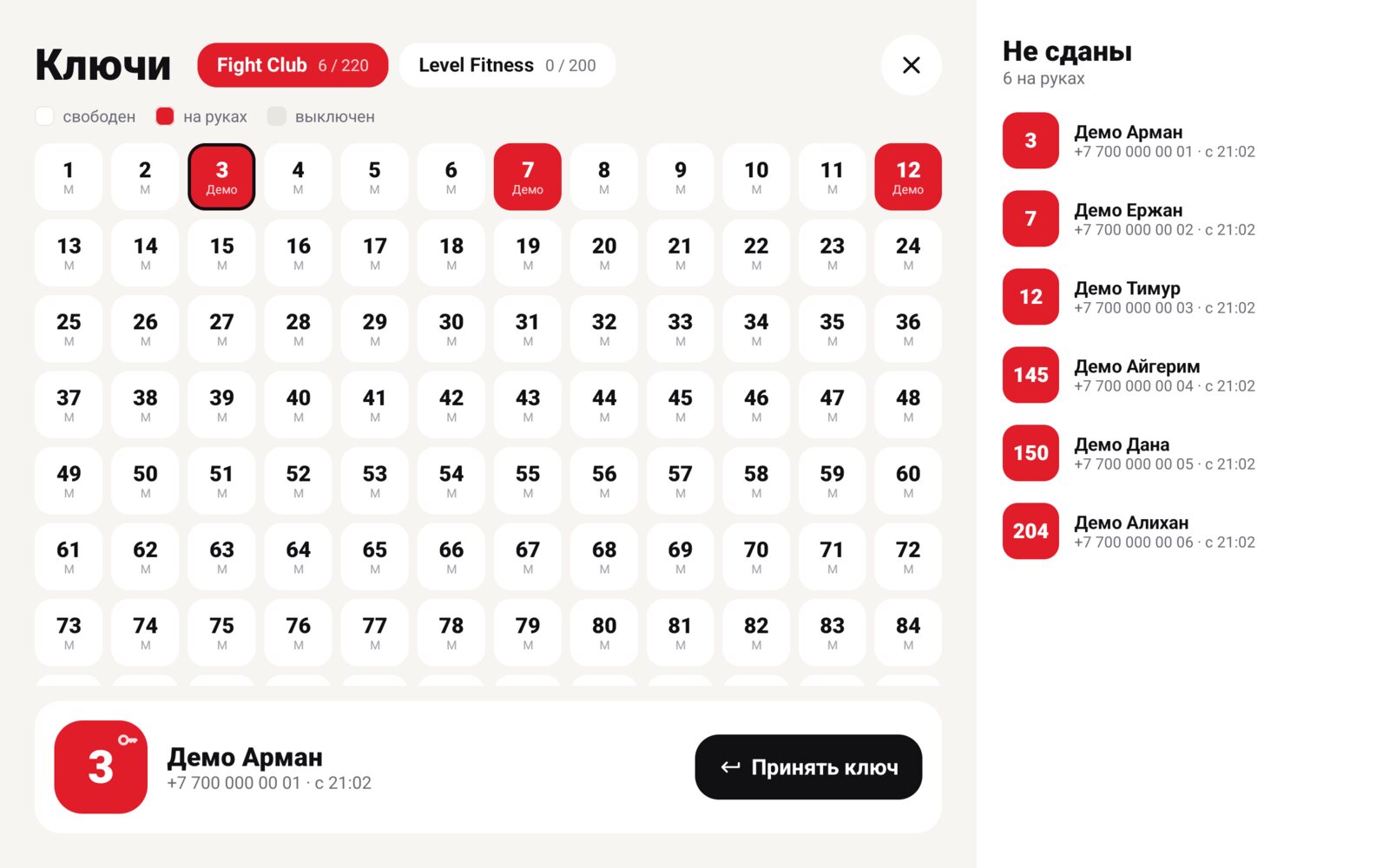
Locker map and the list of keys not returned
03

Keys and lockers

The administrator doesn't hunt for a free locker or write numbers down.

  • The system suggests a free key
  • Separate men's and women's locker rooms
  • Return by scanning the membership
  • Locker map and a “Not returned” list
  • Monthly locker rental: renew or end it
04

Trainer workspace

A trainer sees the day in the same app.

  • Today's classes and who's booked
  • List of students and their memberships
  • Stories and announcements for their groups
  • Booking and cancellation alerts
05

Owner dashboard

The club on one screen, from a phone or a laptop.

  • Daily revenue and a monthly forecast
  • Retention: who stopped coming and whose membership is ending
  • Leads and broadcasts by member group
  • Reports by trainer and discipline
  • Staff activity log
  • Club summary in Telegram three times a day
  • Club network: all branches and tablets on one screen
06

CRM in the browser

Reception, class log and till on any club computer.

  • Sell memberships and single visits
  • Class log and shift till
  • Roles with permissions: owner, manager, receptionist, coach
  • Every staff member has their own login, password and PIN
  • Training mode: new staff practise without touching the till
30 days freeWe connect your club, migrate the data and train your staff. Nothing to pay in the first month.
A class at a stretching studio

Fitness studios

Add new disciplines

Yoga, Pilates, stretching, kids' groups. A new discipline is set up in a minute: schedule, trainer, price, booking in the app.

CRM for studios →

Switching

Already using FitBase or another system?

1

We migrate your data

Members, memberships, remaining visits, freezes. Free of charge.

2

We run in parallel

For the first weeks the tablet reads data from your current system, nothing breaks.

3

We switch over

Once your staff is comfortable, the old system is turned off.

Compare with FitBase →
30 days freeWe connect your club, migrate the data and train your staff. Nothing to pay in the first month.

Pricing

Simple pricing

The subscription includes the CRM, the reception tablet, the admin panel, updates and support. Database migration is free.

CRM and Wallet

For clubs without their own app

from 30,000 ₸ / month

  • Full CRM: clients, memberships, cash desk, reports
  • Club card in Apple Wallet instead of an app
  • Entry with the QR code on the card
  • Reception tablet, keys and lockers
  • Offline mode
See the system →
Full set

CRM and app

Your club's own app and Apple Wallet

70 000 ₸ / month

  • Everything in CRM and Wallet
  • An app in the App Store and Google Play under your name
  • Class booking and membership purchases
  • Locker and QR code on the phone
  • Push notifications and broadcasts
  • Revenue forecast and retention
See the system →

Network

Several clubs or branches

On request

  • Unlimited members
  • Shared base and one membership
  • Reports for each club
  • Custom locker layouts
  • Integrations with your systems
Let's talk →

Front-desk kit — a tablet with a stand and a scanner — for rent from 10,000 ₸ a month, or use your own hardware.

30 days freeWe connect your club, migrate the data and train your staff. Nothing to pay in the first month.

FAQ

The essentials

Which clubs is the CRM for?

Gyms, fitness clubs, boxing, kickboxing and wrestling sections, yoga, Pilates, stretching and dance studios. The system handles memberships, single visits, group and personal training.

Will the app carry our name?

Yes. It is published in the App Store and Google Play with your club's name, logo and colours.

What happens if the internet goes down?

The tablet keeps working: membership scans, key handouts and sales are stored on the device and sent to the server when the connection is back.

How long does the launch take?

Three days: data migration, setting up memberships and lockers, training administrators and trainers.

Can we switch from FitBase?

Yes. We migrate members and memberships and run in parallel with FitBase during the transition.

Can staff have different permissions?

Yes. The owner, manager, receptionist and coach each see only their own part. Everyone has their own login, password and PIN, and every action is logged.

How does the reception tablet get updates?

On its own, over the air. A new version installs while nobody is using the tablet, so no one has to visit the club. The Club network screen shows which tablets are online and what version they run.

How do I train a new receptionist?

Turn on training mode. The receptionist sells memberships and hands out keys to a practice client, and none of it reaches the till or the reports.

Do we need to buy hardware?

An Android tablet is enough. A scanner speeds up entry, but the tablet camera can scan as well.

30 days freeWe connect your club, migrate the data and train your staff. Nothing to pay in the first month.

We'll show the system on your club

Leave your number — we'll call back, ask five questions about the club and show how it will look for you.